Chapter 8 AD Converter
In this chapter, we will learn how to use ESP32-S3 to read analog signals.
Project 8.1 Read the Voltage of Potentiometer
In this project, we will use the ADC function of ESP32-S3 to read the voltage value of the potentiometer and print it out through the serial monitor.
Component List
ESP32-S3-WROOM x1
GPIO Extension Board x1
830 Tie-Points Breadboard x1
Potentiometer(10k) x1
Jumper Wire x3
Component knowledge
Potentiometer
Connect
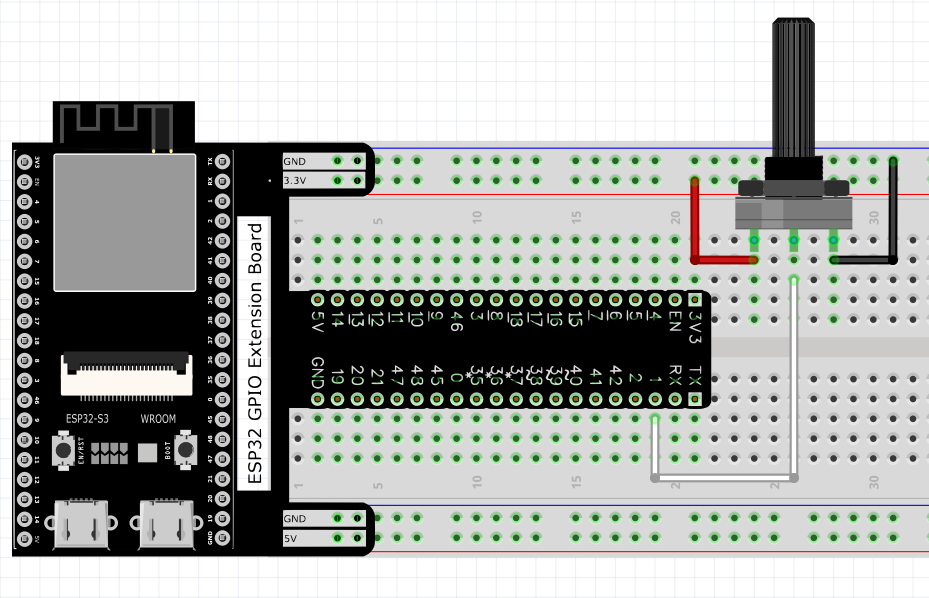
Sketch
Sketch_08.1_ADC
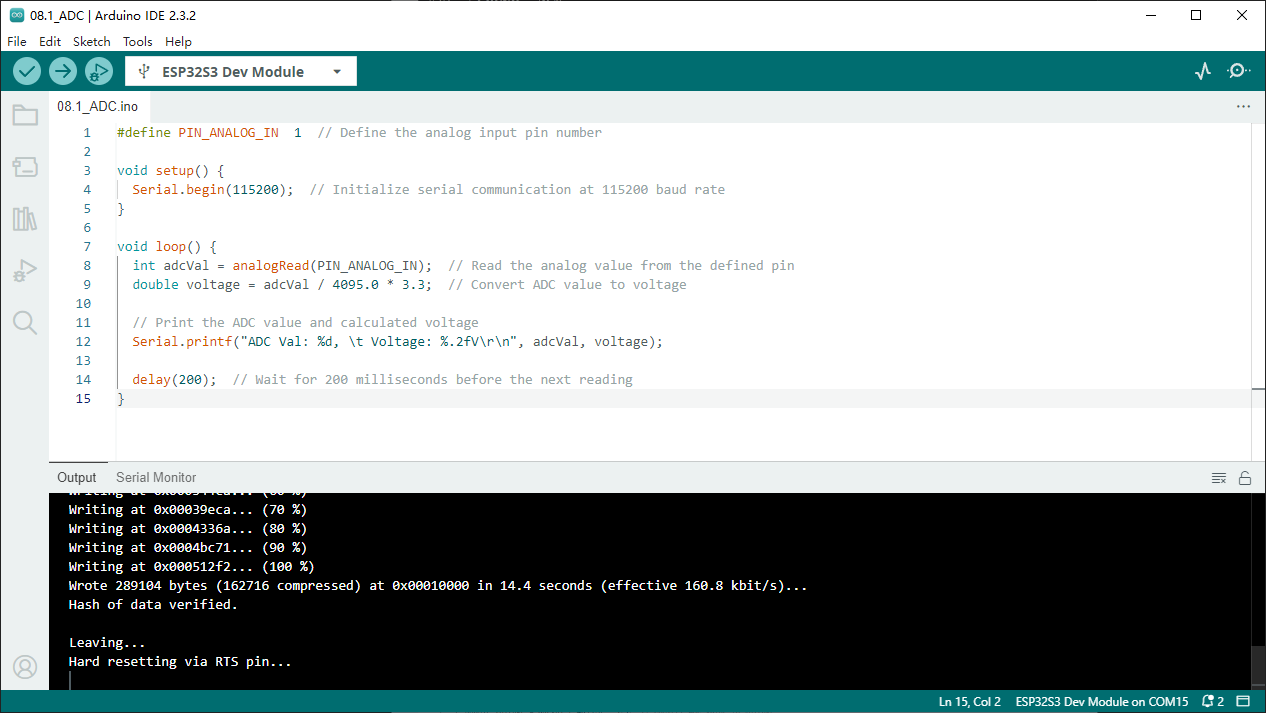
Download the code to ESP32-S3 WROOM, open the serial monitor, and set the baud rate to 115200. As shown in the following figure.
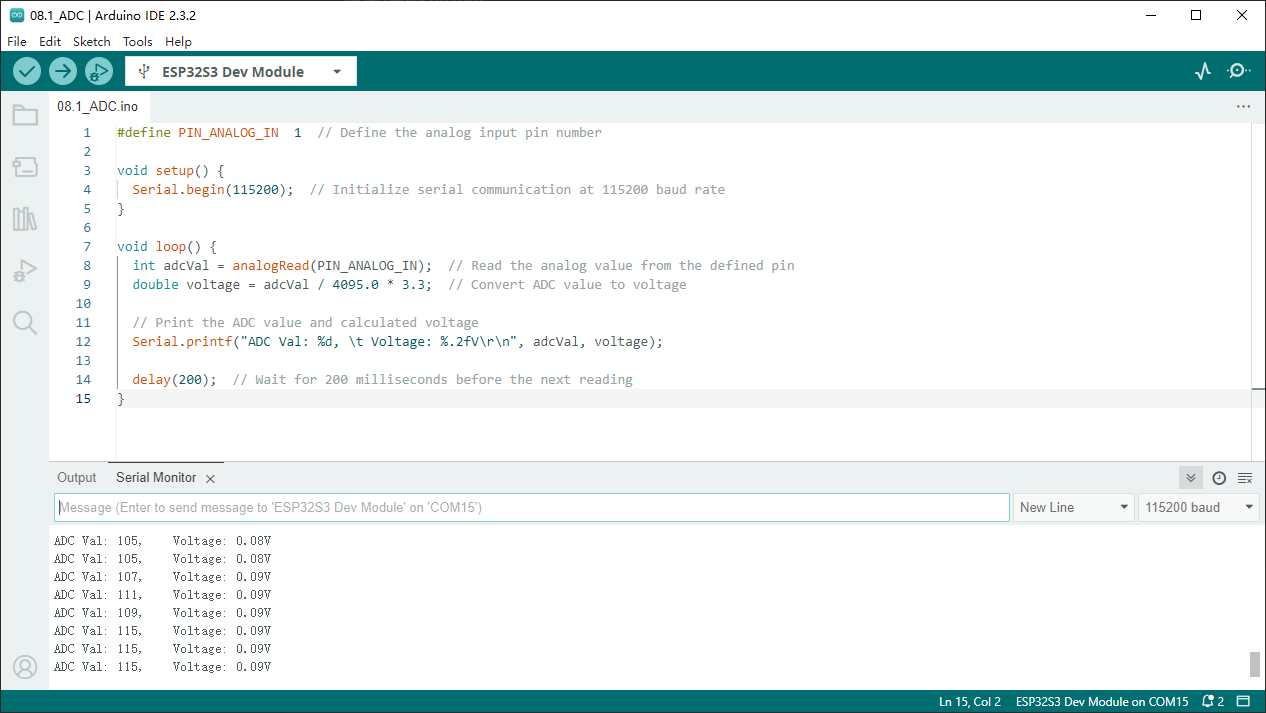
As shown in the picture above, as long as the handle of the potentiometer is rotated, the serial monitor will print out the ADC value, as well as the voltage value of the potentiometer.
Code
The following is the program code:
#define PIN_ANALOG_IN  1
void setup() {
Serial.begin(115200);
}

void loop() {
int adcVal = analogRead(PIN_ANALOG_IN);
double voltage = adcVal / 4095.0 * 3.3;
Serial.printf("ADC Val: %d, \t Voltage: %.2fV\r\n", adcVal, voltage);
delay(200);
}