Chapter 26 Camera Tcp Server
In the previous section, we used web page to display the video data captured by ESP32-S3, and in this section, we will use a mobile phone to display it.
Project 26.1 Camera Tcp Server
Connect ESP32-S3 using USB and check its IP address through serial monitor. Use a mobile phone to obtain video and image data.
Connect
Connect ESP32-S3 to the computer using the USB cable.

Sketch
First, you need to download the RaspPICar APP installation package from this address and manually install it on your Android phone.
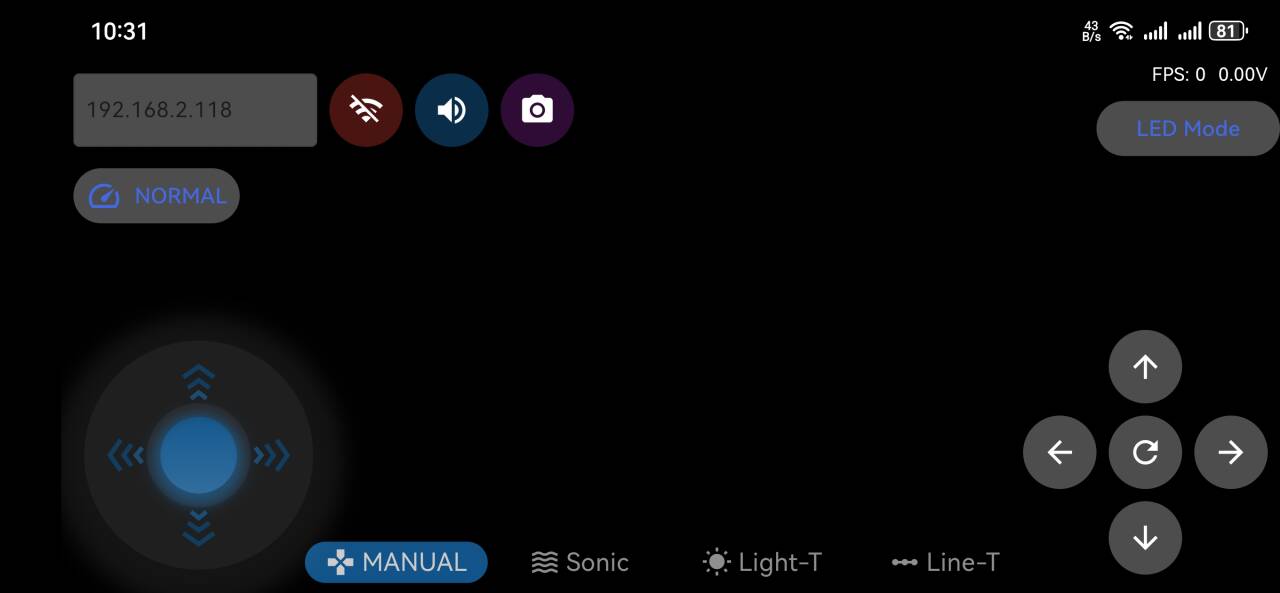
Then, when you open RaspPICar on your phone, this interface will be displayed.

After making sure the Tools is configured correctly, don’t run Sketch. Due to WiFi, we need to modify Sketch a little bit based on physical situation.
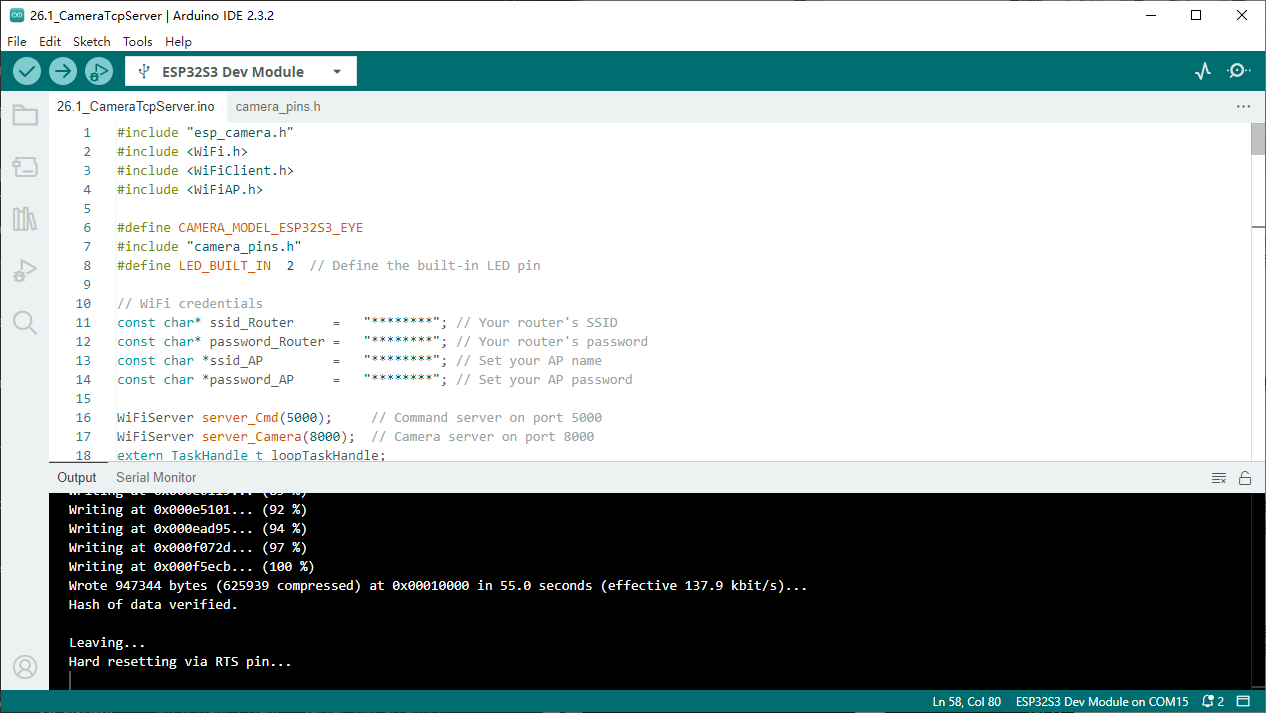
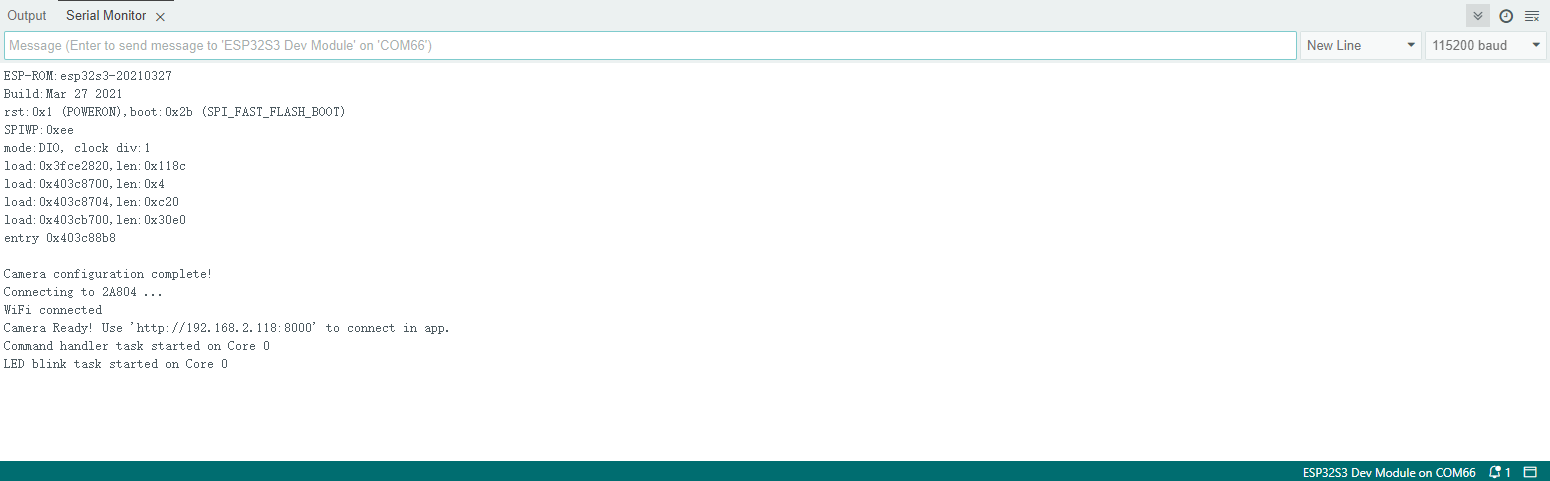
Fill in your router’s SSID and password in the quotes after ssid_Router and password_Router in the image above. After setting correctly, compile and upload to ESP32-S3. Open the serial monitor and press the reset button on the Raspberry Pi, the serial monitor will print out an IP address.
First, connect your phone to your router to ensure it’s on the same local network. Then open the RaspPICar app and enter the IP address printed by the serial monitor in the IP input box in the upper left corner. Click the connect button, and after successful connection, a video stream will be displayed as shown in the figure below

Important
Camera Module Compatibility Notice: If you are using an OV3660 camera module instead of the OV2640 camera, please locate the OV3660 folder in your code directory and use the corresponding code files. The camera model definition and pin configurations may differ between camera modules.
Code
The following is the program code.You need include other code files in the same folder when write your own code. Sketch_26.1_Camera_Tcp_Server
#include "esp_camera.h"
#include <WiFi.h>
#include <WiFiClient.h>

#define CAMERA_MODEL_ESP32S3_EYE
#include "camera_pins.h"
#define LED_BUILT_IN  2  // Built-in LED pin

// WiFi configuration
const char* ssid_Router     = "*********"; // Router SSID
const char* password_Router = "*********"; // Router password

WiFiServer server_Cmd(5000);     // Command server port 5000
WiFiServer server_Camera(8000);  // Camera server port 8000
TaskHandle_t cmdTaskHandle = NULL;
TaskHandle_t blinkTaskHandle = NULL;

void setup() {
Serial.begin(115200);
Serial.setDebugOutput(false);
Serial.println();

// Ultimate performance settings - for 8MB PSRAM hardware
setCpuFrequencyMhz(240);           // Maximum CPU frequency

// WiFi performance optimization
WiFi.setTxPower(WIFI_POWER_19_5dBm); // Maximum WiFi transmission power

// TCP/IP stack optimization
WiFi.setSleep(false);              // Disable WiFi sleep to improve response speed

// Initialize LED
pinMode(LED_BUILT_IN, OUTPUT);
digitalWrite(LED_BUILT_IN, LOW);

// Initialize camera
cameraSetup();

// Connect to WiFi router
Serial.printf("Connecting to %s ", ssid_Router);
WiFi.begin(ssid_Router, password_Router);
WiFi.setAutoReconnect(true);
WiFi.persistent(true);

// Wait for WiFi connection
uint8_t retries = 30;
while (WiFi.status() != WL_CONNECTED && retries--) {
    delay(500);
    Serial.print(".");
}
Serial.println("");

if (WiFi.status() == WL_CONNECTED) {
    Serial.println("WiFi connected");
    Serial.print("Camera Ready! Use 'http://");
    Serial.print(WiFi.localIP());
    Serial.println(":8000' to connect in app.");

    // Start servers
    server_Camera.begin(8000);
    server_Cmd.begin(5000);
} else {
    Serial.println("WiFi connection failed!");
}

// Disable core 0 watchdog timer
disableCore0WDT();

// Memory optimization - fully utilize 8MB PSRAM
heap_caps_malloc_extmem_enable(1024); // Enable external memory allocation

// Create command processing and LED blinking tasks on core 0 - using larger stack space
xTaskCreateUniversal(loopTask_Cmd, "loopTask_Cmd", 8192, NULL, 2, &cmdTaskHandle, 0);  // Increase stack size and priority
xTaskCreateUniversal(loopTask_Blink, "loopTask_Blink", 4096, NULL, 1, &blinkTaskHandle, 0);
}

// Main loop (running on core 1)
void loop() {
// Check WiFi connection status
if (WiFi.status() != WL_CONNECTED) {
    Serial.println("WiFi connection lost, reconnecting...");
    WiFi.reconnect();
    // Wait for reconnection, maximum 10 seconds
    uint8_t retries = 20;
    while (WiFi.status() != WL_CONNECTED && retries--) {
    delay(500);
    Serial.print(".");
    }
    if (WiFi.status() == WL_CONNECTED) {
    Serial.println("\nReconnected to WiFi");
    }
}

// Accept camera client connection
WiFiClient client = server_Camera.accept();
if (client) {
    Serial.println("Camera Server connected to a client.");

    // Ultimate TCP connection optimization
    client.setNoDelay(true);           // Disable Nagle algorithm
    client.setTimeout(100);            // Reduce timeout duration

    uint32_t frameCount = 0;
    uint32_t startTime = millis();

    while (client.connected()) {
    camera_fb_t *fb = esp_camera_fb_get();
    if (fb != NULL) {
        // Send frame size
        uint32_t frameSize = fb->len;
        client.write((uint8_t*)&frameSize, 4);

        // Ultra-large transmission block optimization - 8MB PSRAM supports larger block transmission
        size_t sentBytes = 0;
        while (sentBytes < fb->len) {
        size_t chunkSize = min(16384, (int)(fb->len - sentBytes)); // 16KB transmission block
        size_t sent = client.write(fb->buf + sentBytes, chunkSize);
        if (sent == 0) {
            Serial.println("Send failed");
            break;
        }
        sentBytes += sent;
        }

        esp_camera_fb_return(fb);

        // Calculate and display frame rate
        frameCount++;
        if (frameCount % 30 == 0) {
        float fps = frameCount * 1000.0 / (millis() - startTime);
        Serial.printf("Stream FPS: %.2f\n", fps);
        }
    } else {
        Serial.println("Camera capture failed");
        delay(50); // Reduce delay on failure
    }
    }

    // Display final frame rate
    float fps = frameCount * 1000.0 / (millis() - startTime);
    Serial.printf("Stream ended. Average FPS: %.2f\n", fps);

    client.stop();
    Serial.println("Camera Client Disconnected.");
}

// Minimum delay to give video service more CPU time
delay(1);
}

// Command processing task (running on core 0)
void loopTask_Cmd(void *pvParameters) {
Serial.println("Command handler task started on Core 0");

while (1) {
    WiFiClient client = server_Cmd.accept();
    if (client) {
    Serial.println("Command Server connected to a client.");
    client.setNoDelay(true);

    while (client.connected()) {
        if (client.available()) {
        char c = client.read();
        client.write(c); // Echo received character
        Serial.write(c);

        // Command processing logic can be added here
        }
    }

    client.stop();
    Serial.println("Command Client Disconnected.");
    }

    // Small delay to prevent excessive CPU resource consumption
    delay(10);
}
}

// LED blinking task (running on core 0)
void loopTask_Blink(void *pvParameters) {
Serial.println("LED blink task started on Core 0");

while (1) {
    digitalWrite(LED_BUILT_IN, !digitalRead(LED_BUILT_IN)); // Toggle LED state
    delay(500); // Increase blinking frequency
}
}

// Camera setup function
void cameraSetup() {
camera_config_t config;
config.ledc_channel = LEDC_CHANNEL_0;
config.ledc_timer = LEDC_TIMER_0;
config.pin_d0 = Y2_GPIO_NUM;
config.pin_d1 = Y3_GPIO_NUM;
config.pin_d2 = Y4_GPIO_NUM;
config.pin_d3 = Y5_GPIO_NUM;
config.pin_d4 = Y6_GPIO_NUM;
config.pin_d5 = Y7_GPIO_NUM;
config.pin_d6 = Y8_GPIO_NUM;
config.pin_d7 = Y9_GPIO_NUM;
config.pin_xclk = XCLK_GPIO_NUM;
config.pin_pclk = PCLK_GPIO_NUM;
config.pin_vsync = VSYNC_GPIO_NUM;
config.pin_href = HREF_GPIO_NUM;
config.pin_sccb_sda = SIOD_GPIO_NUM;
config.pin_sccb_scl = SIOC_GPIO_NUM;
config.pin_pwdn = PWDN_GPIO_NUM;
config.pin_reset = RESET_GPIO_NUM;

// Ultimate performance camera parameter optimization - for 8MB PSRAM
config.xclk_freq_hz = 24000000;        // 24MHz XCLK (highest stable frequency)
config.frame_size = FRAMESIZE_VGA;     // 800x600 resolution (VGA restored)
config.pixel_format = PIXFORMAT_JPEG;  // JPEG format
config.grab_mode = CAMERA_GRAB_LATEST; // Always get latest frame
config.fb_location = CAMERA_FB_IN_PSRAM; // Use PSRAM
config.jpeg_quality = 25;              // Very low JPEG quality focused on frame rate
config.fb_count = 6;                   // 6 frame buffers (balance latency and performance)

// Initialize camera
esp_err_t err = esp_camera_init(&config);
if (err != ESP_OK) {
    Serial.printf("Camera init failed with error 0x%x", err);
    return;
}

// Ultimate sensor parameter adjustment - focus on maximum frame rate
sensor_t * s = esp_camera_sensor_get();
s->set_vflip(s, 0);         // Vertical flip
s->set_brightness(s, 0);    // Default brightness
s->set_saturation(s, -2);   // Lowest saturation to reduce processing
s->set_contrast(s, 0);      // Default contrast
s->set_sharpness(s, -2);    // Lowest sharpness to reduce processing
s->set_denoise(s, 0);       // Turn off noise reduction
s->set_quality(s, 25);      // Very low JPEG quality focused on maximum frame rate
s->set_gainceiling(s, (gainceiling_t)6); // Gain ceiling
s->set_agc_gain(s, 0);      // Disable automatic gain control
s->set_aec_value(s, 300);   // Fixed exposure value
s->set_special_effect(s, 0); // No special effects processing

Serial.println("Camera configuration complete!");
}