Chapter 2 Button & LED
Usually, there are three essential parts in a complete automatic control device: INPUT, OUTPUT, and CONTROL. In last section, the LED module was the output part and ESP32-S3 was the control part. In practical applications, we not only make LEDs flash, but also make a device sense the surrounding environment, receive instructions and then take the appropriate action such as LEDs light up, make a buzzer turn ON and so on.

Next, we will build a simple control system to control a LED through a push button switch.
Project 2.1 Button & LED
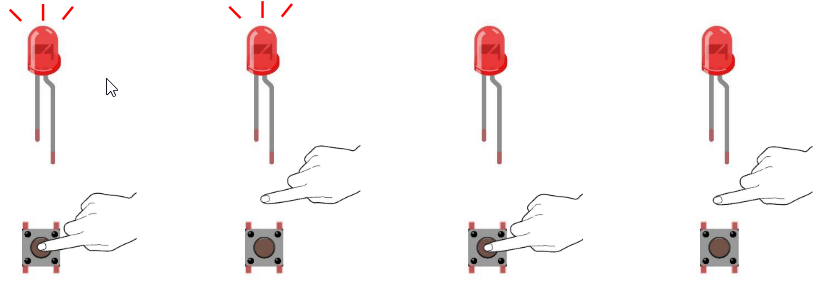
In the project, we will control the LED state through a Push Button Switch. When the button is pressed, our LED will turn ON, and when it is released, the LED will turn OFF.
Component List
ESP32-S3-WROOM x1
GPIO Extension Board x1
830 Tie-Points Breadboard x1
LED x1
Resistor 220Ω x1
Resistor 10kΩ x2
Jumper Wire x4
Button x1
Component knowledge
Connect

Sketch
This project is designed for learning how to use push button switch to control a
LED. We first need to read the state of switch, and then determine whether to turn
the LED ON in accordance to the state of the switch.
Upload following sketch:
LAFVIN_Super_Starter_Kit_For_Esp32_S3\Sketches\02.1_ButtonAndLed.

Download the code to ESP32-S3 WROOM, then press the key, the LED turns ON, release the switch, the LED turns OFF.

Code
The following is the program code:
#define PIN_LED 2
#define PIN_BUTTON 13
// the setup function runs once when you press reset or power the board
void setup() {
    // initialize digital pin PIN_LED as an output.
    pinMode(PIN_LED, OUTPUT);
    pinMode(PIN_BUTTON, INPUT);
}

// the loop function runs over and over again forever
void loop() {
    if (digitalRead(PIN_BUTTON) == LOW) {
    digitalWrite(PIN_LED,LOW);
    }else{
    digitalWrite(PIN_LED,HIGH);
}
}
Project 2.2 MINI table lamp
We will also use a push button switch, LED and ESP32-S3 to make a MINI table lamp but this will function differently: Press the button, the LED will turn ON, and pressing the button again, the LED turns OFF. The ON switch action is no longer momentary (like a door bell) but remains ON without needing to continually press on the Button Switch. First, let us learn something about the push button switch.
Debounce for Push Button
The moment when a push button switch is pressed, it will not change from one state to another state immediately. Due to tiny mechanical vibrations, there will be a short period of continuous buffeting before it completely reaches another state too fast for humans to detect but not for computer microcontrollers. The same is true when the push button switch is released. This unwanted phenomenon is known as “bounce”.

Therefore, if we can directly detect the state of the push button switch, there are multiple pressing and releasing actions in one pressing cycle. This buffeting will mislead the high-speed operation of the microcontroller to cause many false decisions. Therefore, we need to eliminate the impact of buffeting. Our solution: to judge the state of the button multiple times. Only when the button state is stable (consistent) over a period of time, can it indicate that the button is actually in the ON state (being pressed). This project needs the same components and circuits as we used in the previous section.
Sketch
Sketch_02.2_Tablelamp

Download the code to the ESP32-S3 WROOM, press the button, the LED turns ON, and press the button again, the LED turns OFF.