Chapter 20 Bluetooth
This chapter mainly introduces how to make simple data transmission through Bluetooth of ESP32-S3 WROOM and mobile phones.
Project 20.1 Bluetooth Low Energy Data Passthrough
Component List
ESP32-S3-WROOM x1
Type C USB Cable x1
Connect

Sketch
nRF Connect
In this class, we will use the nRF Connect software for Bluetooth debugging.
Android users can download it from this link: nRF Connect for Android
iPhone users can download it from this link: nRF Connect for iPhone

Step1. Upload the code of Project 20.1 to ESP32-S3. Step2. Click on serial monitor.
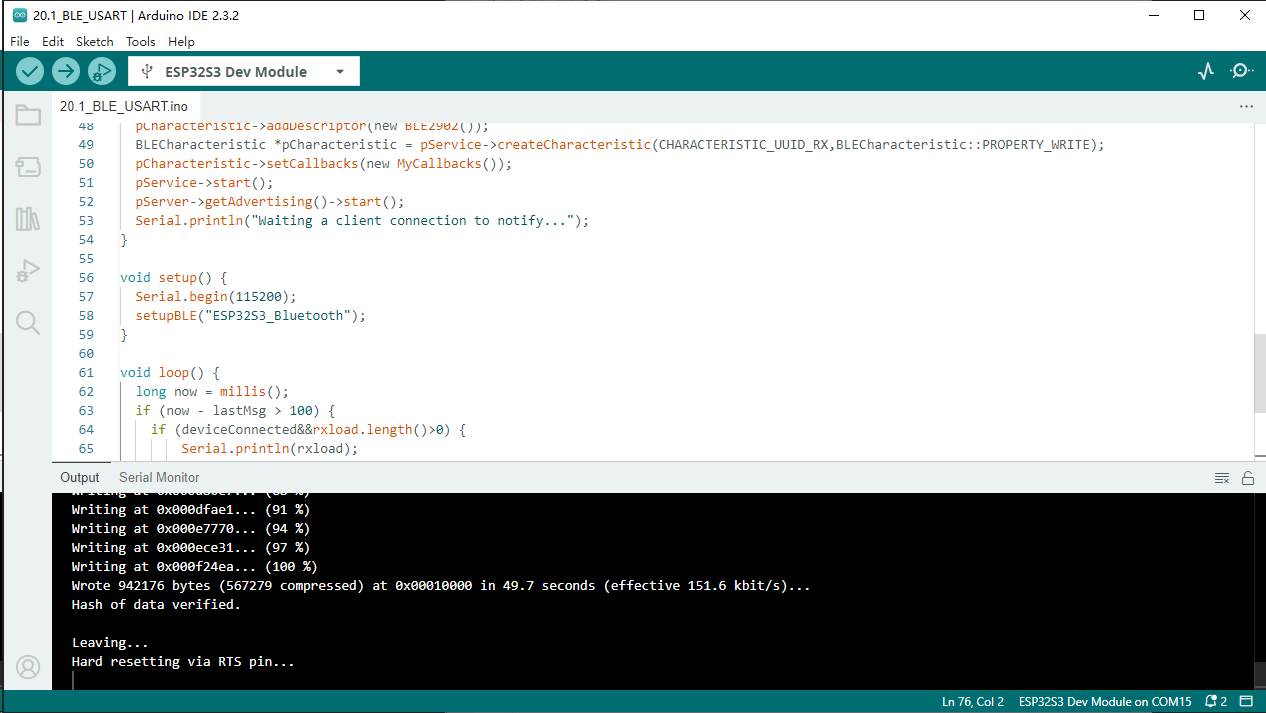
Step3. Set baud rate to 115200.

Turn ON Bluetooth on your phone, and open the nrf-connect-for-mobile APP.

In the Scan page, swipe down to refresh the name of Bluetooth that the phone searches for. Click ESP32S3_Bluetooth.


Click on the multiple arrow next to the TX Characteristic and make sure it’s off.
Back to the serial monitor on your computer. You can type anything in the left border of Send, and then click Send.

And then you can see the mobile Bluetooth has received the message.

Similarly, you can select “Send” on your phone. Set Data format, and then enter anything in the sending box and click Write to send.

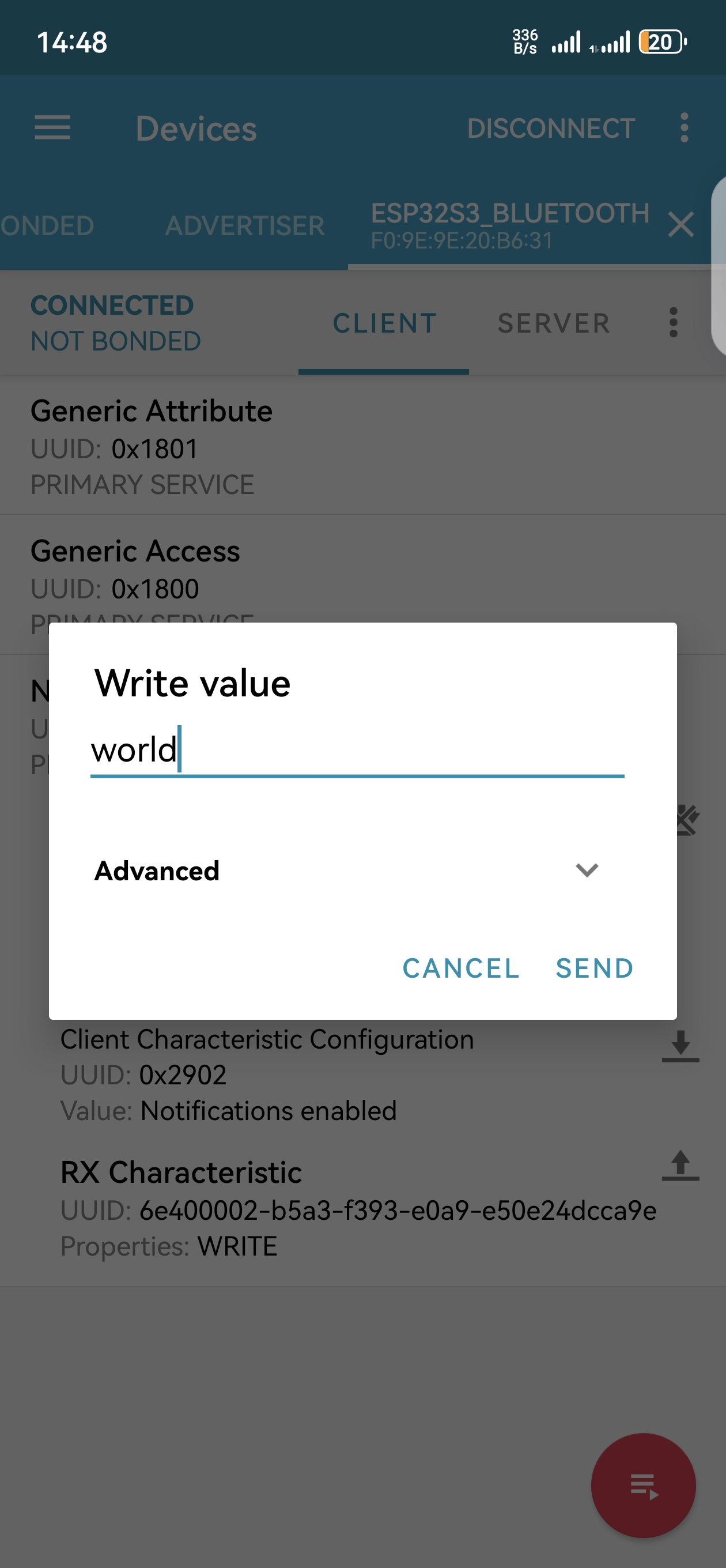
And the computer will receive the message from the mobile Bluetooth.

And now data can be transferred between your mobile phone and computer via ESP32-S3 WROOM.
Code
The following is the program code:
#include "BLEDevice.h"
#include "BLEServer.h"
#include "BLEUtils.h"
#include "BLE2902.h"

BLECharacteristic *pCharacteristic;
bool deviceConnected = false;
uint8_t txValue = 0;
long lastMsg = 0;
String rxload="Test\n";

// Define UUIDs for the BLE service and characteristics
#define SERVICE_UUID           "6E400001-B5A3-F393-E0A9-E50E24DCCA9E"
#define CHARACTERISTIC_UUID_RX "6E400002-B5A3-F393-E0A9-E50E24DCCA9E"
#define CHARACTERISTIC_UUID_TX "6E400003-B5A3-F393-E0A9-E50E24DCCA9E"

// Callback class for BLE server events
class MyServerCallbacks: public BLEServerCallbacks {
    void onConnect(BLEServer* pServer) {
    deviceConnected = true;
    };
    void onDisconnect(BLEServer* pServer) {
    deviceConnected = false;
    }
};

// Callback class for BLE characteristic events
class MyCallbacks: public BLECharacteristicCallbacks {
    void onWrite(BLECharacteristic *pCharacteristic) {
    String rxValue = pCharacteristic->getValue();
    if (rxValue.length() > 0) {
        rxload="";
        for (int i = 0; i < rxValue.length(); i++){
        rxload +=(char)rxValue[i];
        }
    }
    }
};

// Function to set up BLE
void setupBLE(String BLEName){
const char *ble_name=BLEName.c_str();
BLEDevice::init(ble_name);
BLEServer *pServer = BLEDevice::createServer();
pServer->setCallbacks(new MyServerCallbacks());
BLEService *pService = pServer->createService(SERVICE_UUID);
pCharacteristic= pService->createCharacteristic(CHARACTERISTIC_UUID_TX,BLECharacteristic::PROPERTY_NOTIFY);
pCharacteristic->addDescriptor(new BLE2902());
BLECharacteristic *pCharacteristic = pService->createCharacteristic(CHARACTERISTIC_UUID_RX,BLECharacteristic::PROPERTY_WRITE);
pCharacteristic->setCallbacks(new MyCallbacks());
pService->start();
pServer->getAdvertising()->start();
Serial.println("Waiting a client connection to notify...");
}

void setup() {
Serial.begin(115200);
setupBLE("ESP32S3_Bluetooth");
}

void loop() {
long now = millis();
if (now - lastMsg > 100) {
    if (deviceConnected&&rxload.length()>0) {
        Serial.println(rxload);
        rxload="";
    }
    if(Serial.available()>0){
        String str=Serial.readString();
        const char *newValue=str.c_str();
        pCharacteristic->setValue(newValue);
        pCharacteristic->notify();
    }
    lastMsg = now;
}
}
Project 20.2 Bluetooth Control LED
In this section, we will control the LED with Bluetooth.
Component List
ESP32-S3-WROOM x1
GPIO Extension Board x1
830 Tie-Points Breadboard x1
Resistor 220Ω x1
LED x1
Jumper Wire x2
Type C USB Cable x1
Connect

Sketch
Sketch_20.2_Bluetooth_Control_LED

Compile and upload code to ESP32S3_Blueooth. The operation of the APP is the sam e as 20.1, you only need to change the sending content to “led_on” and “led_off” to operate LEDs on the ESP32-S3 WROOM. Data sent from mobile APP:

Display on the serial port of the computer:
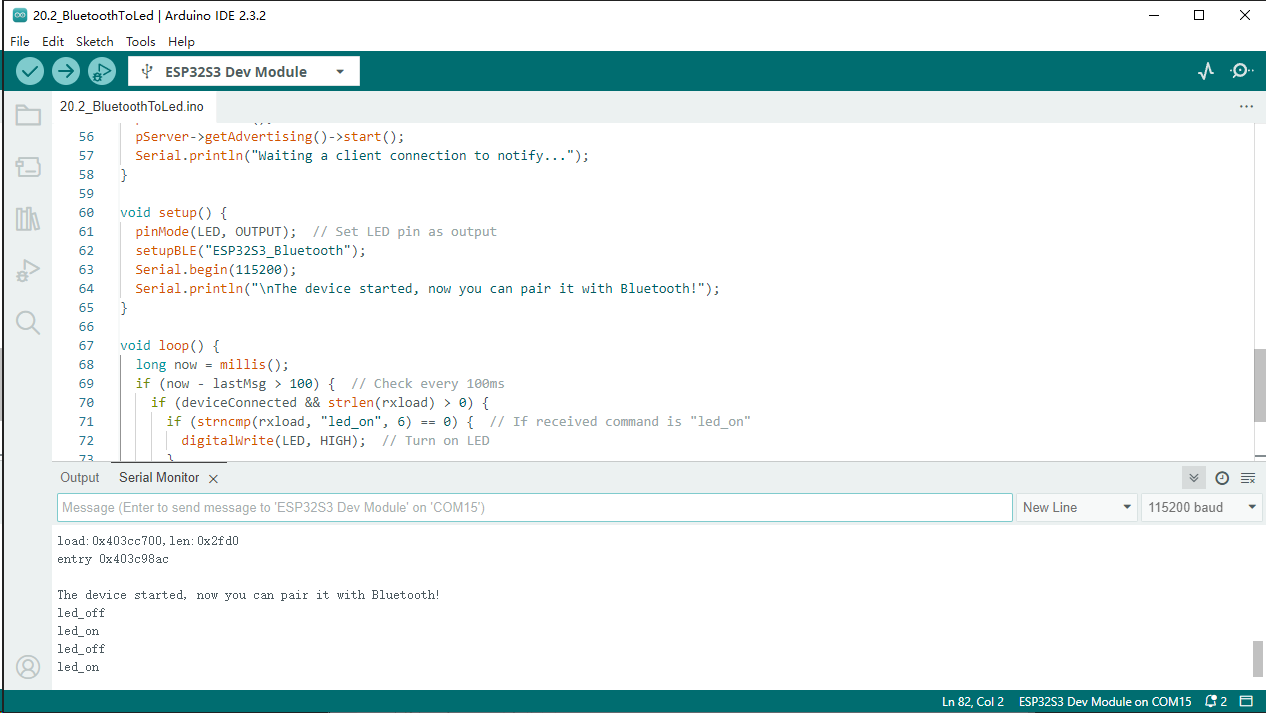
When “led_on” is sent, the LED will light up; when “led_off” is sent, the LED will turn off.
Attention: If the sending content isn’t “led-on’ or “led-off”, then the state of LED will not change. If the LED is on, when receiving irrelevant content, it keeps on; Correspondingly, if the LED is off, when receiving irrelevant content, it keeps off
Code
The following is the program code:
#include "BLEDevice.h"
#include "BLEServer.h"
#include "BLEUtils.h"
#include "BLE2902.h"
#include "String.h"

BLECharacteristic *pCharacteristic;
bool deviceConnected = false;
uint8_t txValue = 0;
long lastMsg = 0;
char rxload[20];

// Define UUIDs for the BLE service and characteristics
#define SERVICE_UUID "6E400001-B5A3-F393-E0A9-E50E24DCCA9E"
#define CHARACTERISTIC_UUID_RX "6E400002-B5A3-F393-E0A9-E50E24DCCA9E"
#define CHARACTERISTIC_UUID_TX "6E400003-B5A3-F393-E0A9-E50E24DCCA9E"
#define LED 2  // Define LED pin

// Callback class for BLE server events
class MyServerCallbacks : public BLEServerCallbacks {
void onConnect(BLEServer *pServer) {
    deviceConnected = true;
};
void onDisconnect(BLEServer *pServer) {
    deviceConnected = false;
}
};

// Callback class for BLE characteristic events
class MyCallbacks : public BLECharacteristicCallbacks {
void onWrite(BLECharacteristic *pCharacteristic) {
    String rxValue = pCharacteristic->getValue();
    if (rxValue.length() > 0) {
    for (int i = 0; i < 20; i++) {
        rxload[i] = 0;
    }
    for (int i = 0; i < rxValue.length(); i++) {
        rxload[i] = (char)rxValue[i];
    }
    }
}
};

// Function to set up BLE
void setupBLE(String BLEName) {
const char *ble_name = BLEName.c_str();
BLEDevice::init(ble_name);
BLEServer *pServer = BLEDevice::createServer();
pServer->setCallbacks(new MyServerCallbacks());
BLEService *pService = pServer->createService(SERVICE_UUID);
pCharacteristic = pService->createCharacteristic(CHARACTERISTIC_UUID_TX, BLECharacteristic::PROPERTY_NOTIFY);
pCharacteristic->addDescriptor(new BLE2902());
BLECharacteristic *pCharacteristic = pService->createCharacteristic(CHARACTERISTIC_UUID_RX, BLECharacteristic::PROPERTY_WRITE);
pCharacteristic->setCallbacks(new MyCallbacks());
pService->start();
pServer->getAdvertising()->start();
Serial.println("Waiting a client connection to notify...");
}

void setup() {
pinMode(LED, OUTPUT);  // Set LED pin as output
setupBLE("ESP32S3_Bluetooth");
Serial.begin(115200);
Serial.println("\nThe device started, now you can pair it with Bluetooth!");
}

void loop() {
long now = millis();
if (now - lastMsg > 100) {  // Check every 100ms
    if (deviceConnected && strlen(rxload) > 0) {
    if (strncmp(rxload, "led_on", 6) == 0) {  // If received command is "led_on"
        digitalWrite(LED, HIGH);  // Turn on LED
    }
    if (strncmp(rxload, "led_off", 7) == 0) {  // If received command is "led_off"
        digitalWrite(LED, LOW);  // Turn off LED
    }
    Serial.println(rxload);  // Print received command
    memset(rxload,0,sizeof(rxload));  // Clear rxload buffer
    }
    lastMsg = now;
}
}