Chapter 17 LCD1602
In this chapter, we will learn about the LCD1602 Display Screen
Project 17.1 LCD1602
In this section we learn how to use LCD1602 to display something.
Component List
ESP32-S3-WROOM x1
GPIO Extension Board x1
830 Tie-Points Breadboard x1
LCD1602 IIC x1
F-M DuPont Cable x4
Connect
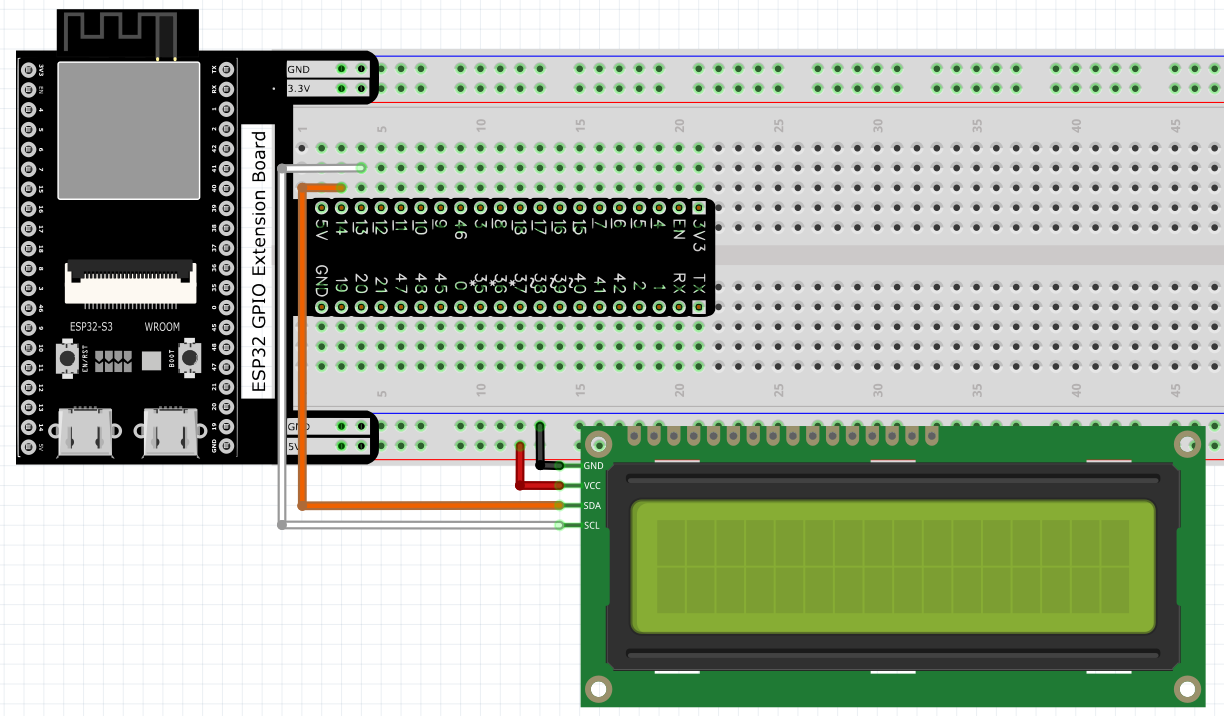
Code
Move the program folder Super_Starter_Kit_for_ESP32_S3/Python/Python_Codes to disk(D) in advance with the path of “D:/Micropython_Codes”.
Open “Thonny”, click This computer/D:/Micropython_Codes/17.1_I2C_LCD1602.
Select “I2C_LCD.py”and “LCD_API.py”, right click your mouse to select “Upload to
/”, wait for “I2C_LCD.py” and “LCD_API.py” to be uploaded to ESP32-S3 and then
double click “I2C_LCD1602.py”.
17.1_I2C_LCD1602
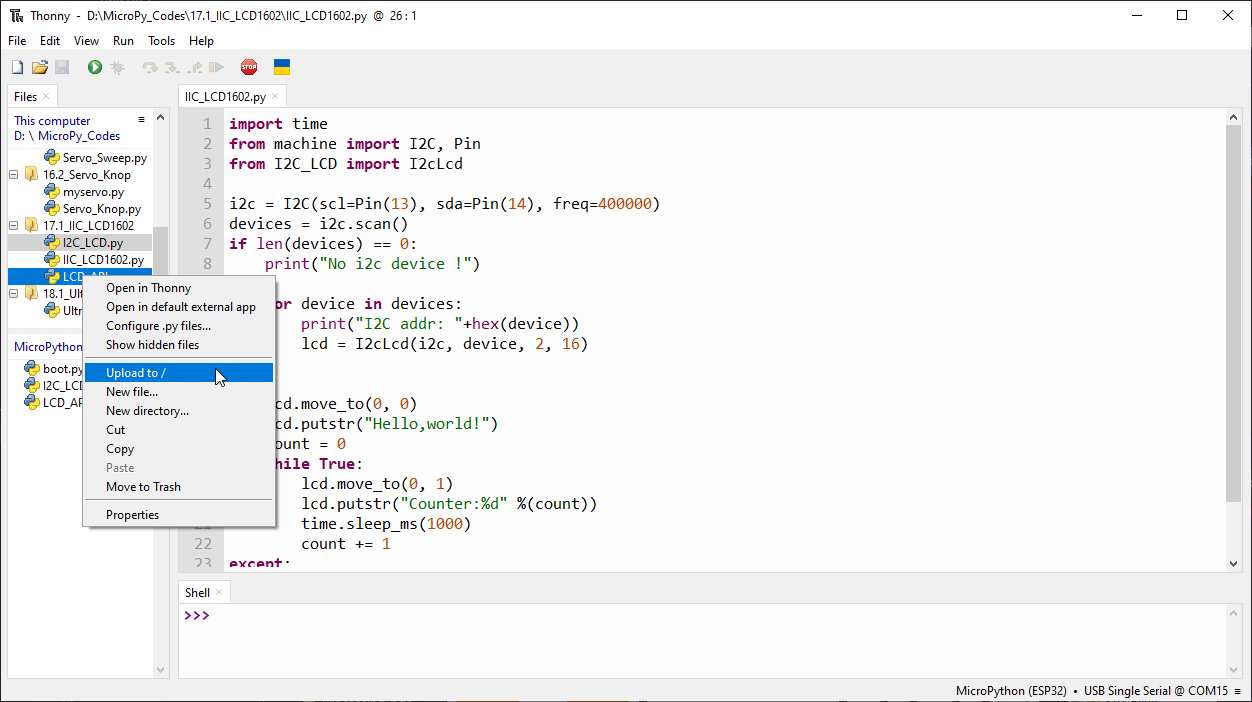
Click “Run current script” and LCD1602 displays some characters.
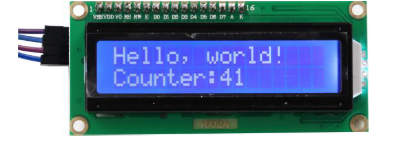
The following is the program code:
import time
from machine import I2C, Pin
from I2C_LCD import I2cLcd

i2c = I2C(scl=Pin(13), sda=Pin(14), freq=400000)
devices = i2c.scan()
if len(devices) == 0:
    print("No i2c device !")
else:
    for device in devices:
        print("I2C addr: "+hex(device))
        lcd = I2cLcd(i2c, device, 2, 16)

try:
    lcd.move_to(0, 0)
    lcd.putstr("Hello,world!")
    count = 0
    while True:
        lcd.move_to(0, 1)
        lcd.putstr("Counter:%d" %(count))
        time.sleep_ms(1000)
        count += 1
except:
    pass